
The AI-native website playbook: 10+ sites that all score 90+ on Google PageSpeed
How I built and migrated 10+ client and product sites with Cursor + Claude Code, why they all score 90+ on PageSpeed, and the compounding knowledge-base loop that makes the whole approach get better over time.
Hey!
My name is Lambert. I’m 23 years old, and I run growth at Morgen.
For the last few years, I’ve been building, maintaining, and shipping websites. Most of them were on WordPress, with the usual stack: Elementor, Astra, Crocoblock, JetEngine, JetElements, performance plugins, translation plugins, the whole zoo. The Morgen marketing site lives on Webflow. I’ve worked across both worlds.
They both ship real sites. They both come with a tax.
A few months ago, while we were building Kai (the AI executive assistant we’re launching), we started using a different stack to build the Kai site itself: a knowledge base, a tight design system, Cursor, Claude Code, Next.js, GitHub, Vercel. No CMS. No plugin queue. No Webflow editor.
It worked so well that I started migrating other sites the same way.
I’ve now built or migrated 10+ websites this way. They all score 90+ on Google PageSpeed. None of them require monthly maintenance.
This article is the playbook: what I was running before, what an “AI-native website” actually is, how the migration process works, and why I’m betting Kai’s whole site, and a new agency I just (re)started (Wellosite), on the same approach.
This article is for you if:
- You’re a CMO or marketer who owns a website you can barely change without a developer
- You manage multiple client or product sites and the maintenance is eating you alive
- You’re paying for Webflow and feel the editor friction every time you ship anything
- You’ve heard “AI-native” thrown around and want a concrete picture of what it means
Let’s go.
Part 1: The two old worlds I was living in
Both worlds work. Both shipped real sites for me. I’m not here to bury either one. I’m here to name the cost.
WordPress + plugins: the maintenance tax
I used to manage 10+ WordPress sites at a time. Every one of them had Elementor or a similar visual builder, a few JetEngine modules, a translation plugin, a caching plugin, an SEO plugin, and a handful of smaller plugins for specific features.
It worked. It also bled.
A few moments that stuck with me, for context on what the bleed actually looks like:
- I once wanted to change the font on a website with more than 500 pages. In theory: simple. Edit the theme settings, propagate. In practice: even after changing the theme settings, some fonts wouldn’t update properly. I spent four hours trying to apply the new font consistently. I gave up.
- I updated a site once. All plugins, theme, everything. Standard hygiene. The site broke. Effects were gone, Elementor sections were broken, I had to roll things back and reboot parts of the site to get it back to a clean state.
- The classic: log back into WordPress after two weeks of focused work elsewhere. Ten pending updates queued. That dread is its own thing.
- More than once, I found myself searching for a plugin to do something basic, like a contact form or a specific page element, and ending up installing things that barely made sense, just to get the site to do what I wanted.
- And every time I inherited a website from someone else, I had to clean out the plugin graveyard before I could even start. Remove design plugins, sort through what was actually used, untangle dependencies, rebuild parts of the site with a tighter setup just to make it performant again.
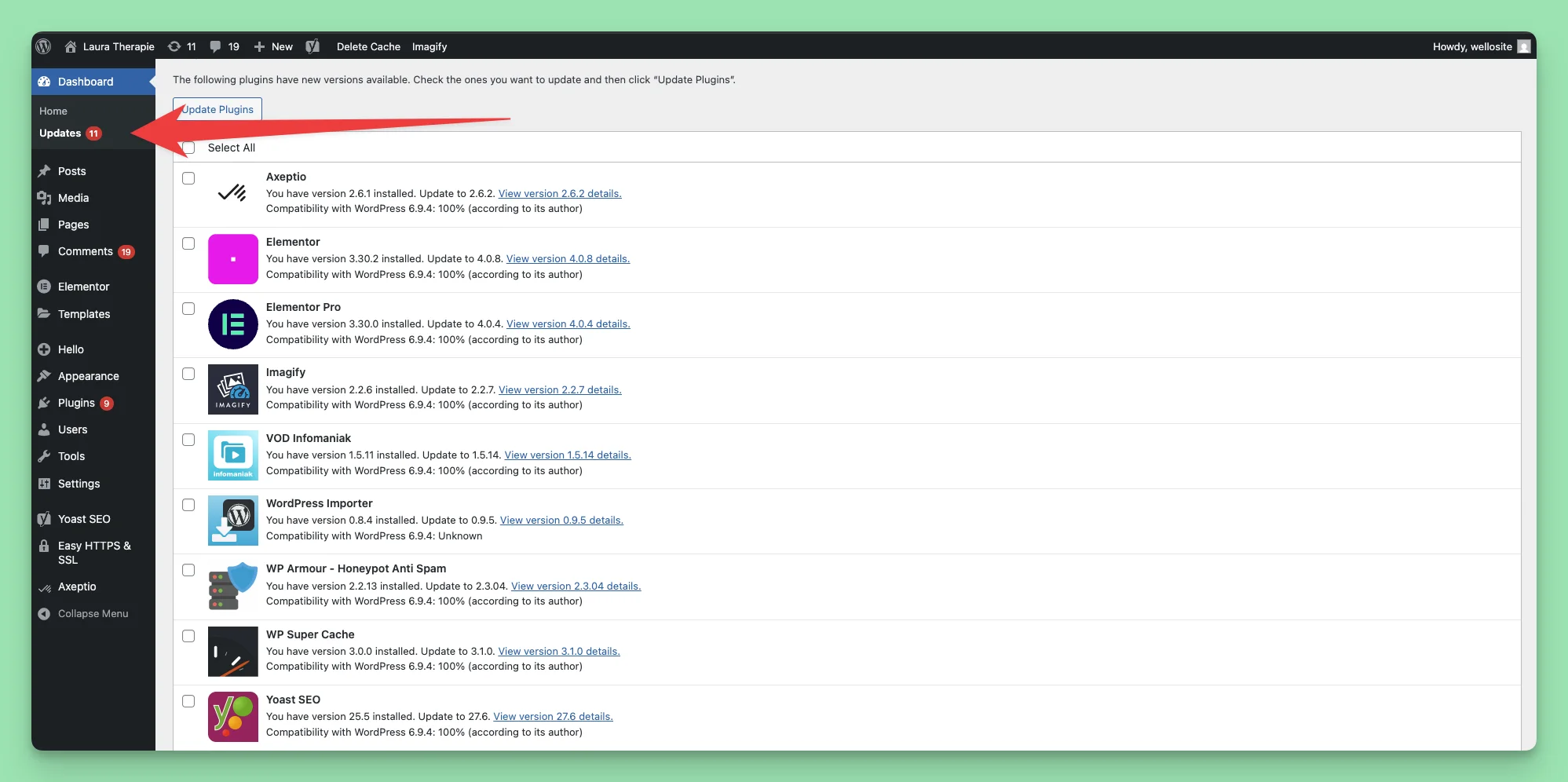
None of these are dramatic. But across 10+ sites, they’re a recurring background tax. Every site is a small recurring debt, and the debt compounds.
Webflow: the editor tax + the cost tax
I also work on Webflow. Morgen’s marketing site is built on Webflow. Webflow doesn’t have the plugin problem. The hosting is solid, the platform is reliable, and you don’t get random updates breaking your build.
But Webflow has its own friction.
Every time we want to implement something, we go into the editor and modify the page. If we want a slightly unique block or layout, that takes time. Publishing a blog article takes time. Building a custom component takes time. There’s also performance friction depending on how the site is structured.
And then there’s the cost.
$220.52 per month. Every month. Around $2,650 per year, just to keep the marketing site running. That’s one workspace. Scale that to multiple sites, multiple clients, or multi-locale (Morgen ships in 6 languages), and the editor friction multiplies right alongside the bill.
Again: not bad software. But the leverage caps out fast.
The question
Both worlds work. Both are taxed. The question I started asking, sitting between a WordPress maintenance window and a Webflow editor session, was simple:
What if the tax wasn’t necessary?
Part 2: What an “AI-native website” actually is
The phrase gets thrown around. Let me give it a concrete definition.
An AI-native website is a site built so AI can read, modify, and extend it in a few prompts.
It’s not “AI generated my site.” That framing misses the point. The point is structural: every part of the site, the design, the content, the components, the deploy pipeline, is shaped so that the most natural way to make a change is a conversation with an AI assistant, not a click in an editor or a plugin install.
The stack
The pieces are simple:
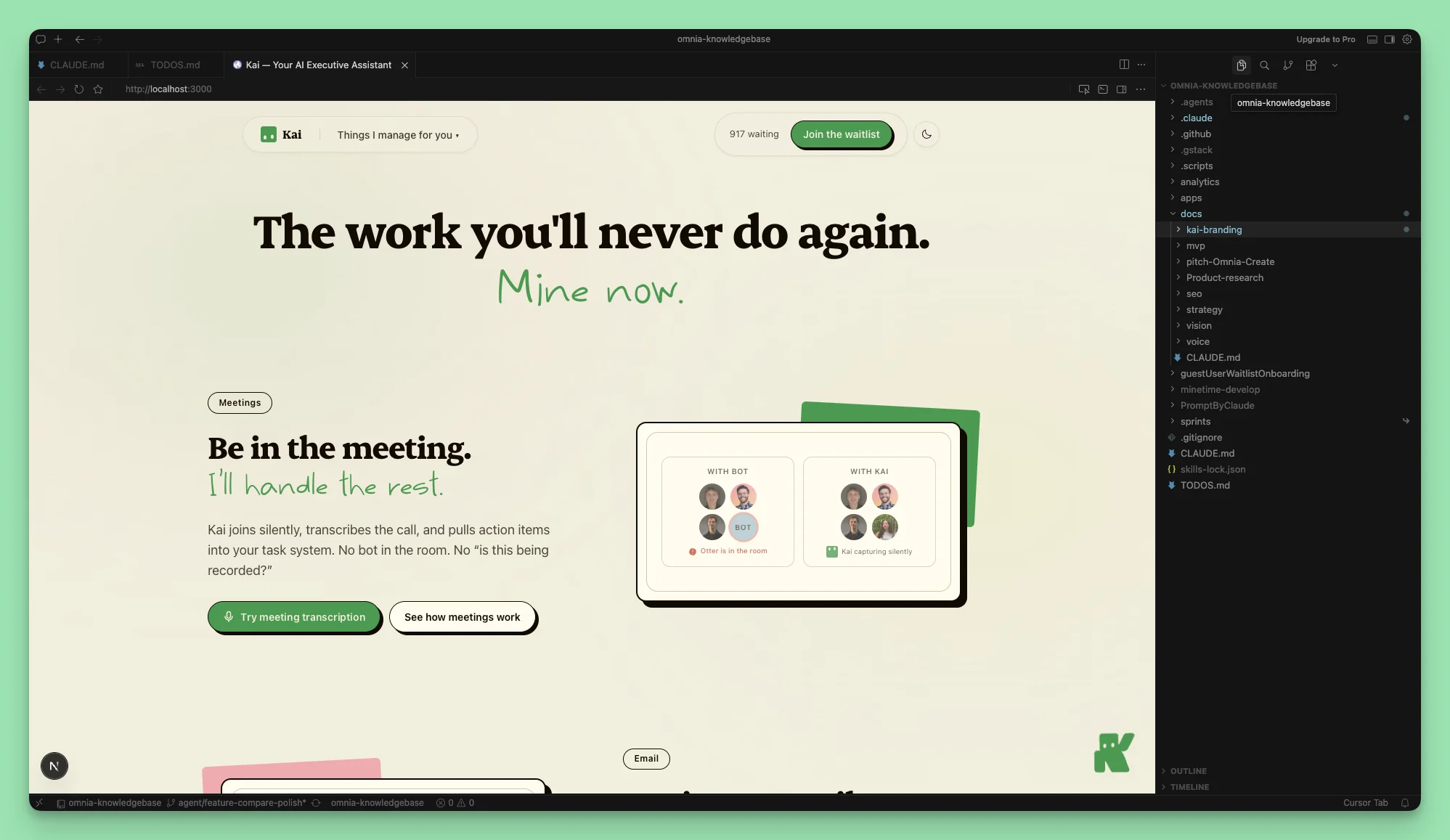
- A knowledge base. Markdown files describing the product, the brand, the audience, the voice, the messaging hierarchy, the design rules. The truth about the site lives here.
- A design system in code. Tokens for colors, typography, spacing. One CSS file as the single source of truth.
- Cursor + Claude Code. The editor and the reasoning layer. Claude reads the KB, the design tokens, and the codebase, then proposes changes.
- Astro or Next.js. The framework. Static, fast, no CMS unless one is genuinely needed. For Kai we use Next.js. For most client sites I use Astro.
- GitHub. Version control, PRs, history, rollbacks. The whole site is an artifact the team can collaborate on.
- Vercel. Deploy on push. No hosting babysitting.
That’s it. No plugin marketplace. No CMS subscription. No editor lock-in.
Why this changes the math
Every change is a conversation with Claude that ends in a PR. New article? Drop a markdown file. New translation? Run a prompt over the existing pages. New block? Describe it. New section? Describe it. Update the brand voice across the whole site? Update the KB, regenerate the affected pages.
The leverage point is not “AI writes my code for me.” The leverage point is the site is now a system that AI understands end-to-end.
One sentence anchor: AI-native is not “AI generated my site.” It’s a site shaped so AI is the most natural way to maintain it.
Part 3: The migration playbook
Theory is cheap. Here’s the actual process I run when I migrate a site.
Strategy decision: clone-first or rebuild-from-scratch
For every migration, the first call is the strategy. Two paths:
- Clone-first. Take the existing HTML/CSS, strip what you don’t need, port it into Astro (or Next.js) as static pages. Preserves visual fidelity. Fast.
- Rebuild-from-scratch. Throw away the original markup, rebuild component-by-component from the design tokens. Slower, but you end up with a cleaner system.
I learned this the hard way on Cash Converters Bienne. I tried 3 clean rebuild iterations. After 3 passes, I was plateauing at around 85% visual fidelity. Small details kept slipping. Then I switched strategy mid-project: clone-and-strip. One pass. 99% fidelity.
The lesson: clone for fidelity. Rebuild for ambition. If the original design is what the client wants and the goal is to migrate without disrupting the brand, clone. If the original is dated and the migration is also a redesign, rebuild.
The four phases of a migration
Every migration runs the same four phases.
1. Audit. Read the existing site end-to-end. List the pages. List the assets. List the plugins or CMS dependencies. List the SEO surface: meta tags, hreflang for multi-language sites, JSON-LD schema, redirects. Anything that’s load-bearing for SEO or UX gets flagged.
2. Knowledge base + design tokens.
Extract the design tokens: primary colors, secondary colors, typography stack, spacing scale, radius, shadows. Write a CLAUDE.md that tells Claude what the site is, who it’s for, what to preserve, and what’s open to change. This file is the difference between Claude guessing and Claude executing.
3. Build. Either clone-and-strip the HTML or prompt-build component-by-component, depending on phase 1. This is where Claude does the implementation lift. I do the judgment.
4. SEO preservation. Meta, hreflang, JSON-LD, ported verbatim. Redirects mapped 1:1, no chains. This phase is non-negotiable. Migrations break SEO when teams skip it. They keep SEO when teams treat it like a checklist, not an afterthought.
What this looks like in practice
A few real numbers from migrations I’ve shipped:
| Site | Strategy | Iterations | Fidelity |
|---|---|---|---|
| Cash Converters Bienne (FR/DE) | Clone-and-strip | 4 (3 rebuild attempts, then 1 clone) | 99% |
| Laura Van Therapies | Clone-and-strip | 1 | 100% |
| psychotrauma.expert (in progress) | Two parallel: v1 clone + v2 redesign | n/a | n/a |
| Wellosite | Greenfield build | n/a | n/a |
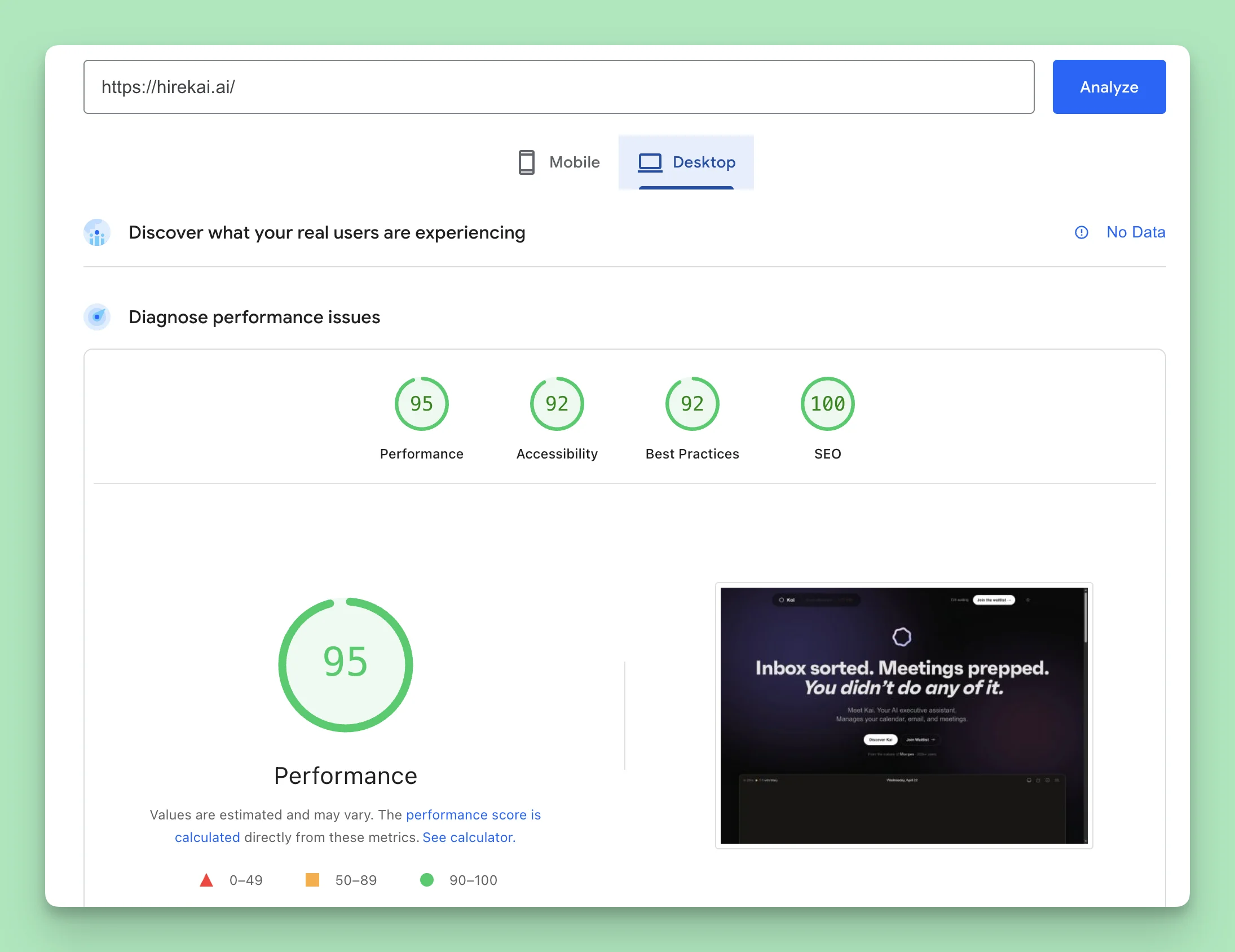
| Kai (hirekai.ai) | Greenfield build | n/a | n/a |
On Cash Converters, the CSS payload tells the story by itself: the original Elementor <style> block was about 80KB of bloat in the head. The rebuilt scoped styles came out around 6KB. The whole site needed only 70 lines of CSS overrides to fix one Slick Carousel widget that was JS-dependent. That’s it. The rest is clean Astro.
These aren’t “AI did it all” stories. They’re “AI handled the implementation while I handled the judgment” stories. That split is exactly what makes the workflow work.
Takeaway: Clone for fidelity. Rebuild for ambition. Pick the one that fits the site, not the one that sounds more impressive.
Part 4: The compounding loop, why AI-native is more than faster shipping
This section is the part that took me a while to see clearly, and it’s the part that matters most.
Building a site faster is nice. Building a site that gets better over time, with less effort, is the actual prize.
Here’s the loop I now run on Kai, on Wellosite, and on the sites I work on for clients.
Step 1: A knowledge base for the business
Markdown files. Not Notion, not a CMS. Plain .md files in a folder.
What goes in: the product description, the positioning, the audience, the brand voice, the value props, the competitor landscape, the messaging hierarchy, the design rules, any decisions worth preserving. The truth about the business, in a form Claude can read.
For Kai, this is a folder of dozens of markdown files. For a smaller client, it might be 5 files. The size doesn’t matter. The discipline of putting the truth in writing does.
Step 2: Feed the knowledge base continuously
This is where Kai itself enters the picture.
I record meetings. Internal team meetings, customer calls, sales conversations. Kai handles the recording. Kai also produces the transcript.
The transcripts go straight into the knowledge base.
That sounds small. It’s not. Every conversation becomes a deposit. The knowledge base gets richer every week without anyone having to “write documentation.” The cost of capture drops to near zero.
Step 3: Generate from full context
When I want to write a new article, a new feature page, a new comparison page, I don’t start from a blank page.
I tell Claude: read the knowledge base. Read the relevant meeting transcripts. Read the design system. Then propose the structure, the angle, the draft.
What comes back is not generic AI prose. It’s a draft grounded in actual customer language, actual product positioning, actual brand voice. With the design system locked in, the output is also already styled, on-brand, and structurally clean.
Step 4: Publish and capture the next round
The article ships. It performs (or doesn’t). The performance data, the comments, the customer responses, all of it feeds back into the knowledge base.
Next article is sharper than the last.
Why this is the leverage point
In the WordPress world, every article is a fresh start. You sit down, you stare at the editor, you write.
In the Webflow world, the design is locked in but the writing is still a fresh start, and the publishing itself takes time.
In the AI-native world, every article inherits everything you’ve ever recorded, written, decided, or shipped before. The asset compounds.
This is also the reason I started migrating client sites this way, not just my own. Once a client has a knowledge base + a design system + the AI-native workflow, they’re not paying me forever to update their site. They’re paying me to set up the loop. Then the loop runs.
Part 5: What I shipped
The headline: 10+ sites migrated. All score 90+ on Google PageSpeed. None require monthly maintenance.
I won’t walk through every project. Most of those 10+ are client sites I migrated quietly, before I had a name for what I was doing. The ones worth naming here are the ones that double as proof of where the approach is going.
Kai (hirekai.ai), the meta-proof
Kai is the AI executive assistant we’re launching. The Kai marketing site, hirekai.ai, runs on:
- Next.js 16, React 19
- Vercel AI SDK v6 + Claude Sonnet
- Neon Postgres (serverless, edge-compatible)
- Vercel hosting
- An MDX blog: posts go in
content/blog/*.mdx, slug-by-filename, no CMS
Every layer of the site is shaped so AI is part of how it gets built and how it gets maintained. The chat demo on the homepage uses the AI SDK natively. The waitlist intelligence layer (extracting context from conversations) uses Claude. The blog you might be reading next runs on the same MDX setup as this article.
It is, as concretely as the term can mean, an AI-native website.
Wellosite, the agency play
Wellosite is the agency I started to take this approach to other people’s sites. The Wellosite landing page is itself an AI-native website: Astro 6.1.5, Tailwind v4, Lucide icons, multi-language out of the box (English, French, Spanish, Portuguese).
It ships in 4 languages because translating a markdown file with full brand context is cheap. You don’t run translation through a plugin. You run it through Claude with the brand voice locked in.
Positioning: “Your website, AI-native.” Not just cheaper than Webflow, AI-ready. Tiers: Starter, Pro, Custom.
The site is the pitch. It’s the thing it sells.
lambert.lecourtdeberu, the site you’re reading
The personal site you’re on right now is the same stack: Astro, content collections for the blog, design tokens, no CMS. Every post is a markdown file in a folder. Every project page is a component. Adding this article was a prompt and a PR.
Same loop as Kai, smaller scale.
What’s next: Morgen
Morgen.so itself is on the backlog. ~990 pages, 6 locales, a real project. Deliberately not yet started, the scoping work is the first phase. When it ships, it will be the biggest case yet.
The pattern
WordPress or Webflow before, Astro or Next.js after. Always with a knowledge base and design tokens. Always shipped via GitHub and deployed on Vercel. The specifics change site to site. The shape doesn’t.
Part 6: What this changed operationally
The metrics matter. The operational change matters more, especially if you’re a CMO or a marketing lead, because it’s where the team velocity actually shifts.
Collaboration becomes natural language. Nobody has to learn a CMS. Anyone on the team can describe what they want: “the hero CTA should say X, and the testimonial below it should rotate weekly.” That description becomes a prompt. The prompt becomes a PR. The PR becomes a deploy. Minutes, not days.
Translations become trivial. Wellosite ships in 4 languages because translating a markdown file with full brand context is a Claude prompt away. No translation plugin. No third-party service. No editor drift between locales.
Articles take less time, and more importantly, they get better. The knowledge base grows. Every meeting deposit makes the source material richer. The next article inherits more context than the last. This is the compounding loop in practice.
Maintenance cost drops to near zero.
No plugin updates. No theme conflicts. No “the site broke because Yoast pushed a new version.” If something breaks (rare), git revert is one command away.
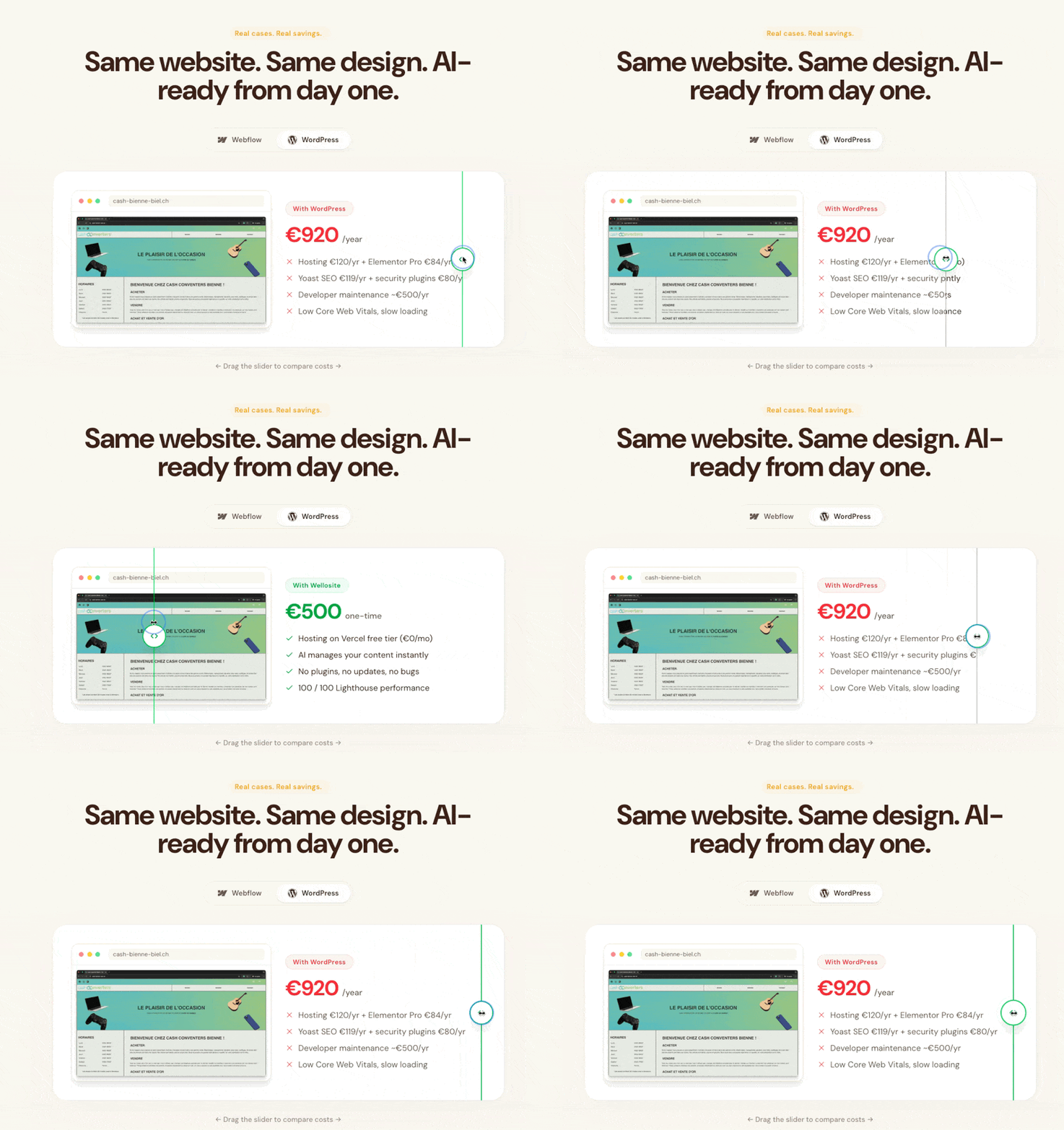
The cost math flips, too. Webflow’s $220/month invoice in Part 1 isn’t an outlier, it’s the going rate for editor-led platforms once you scale to multiple sites or locales. With an AI-native stack, that recurring line item collapses to hosting (Vercel is free or near-free for most marketing sites) plus the time it takes to ship a change, which is now minutes instead of hours.
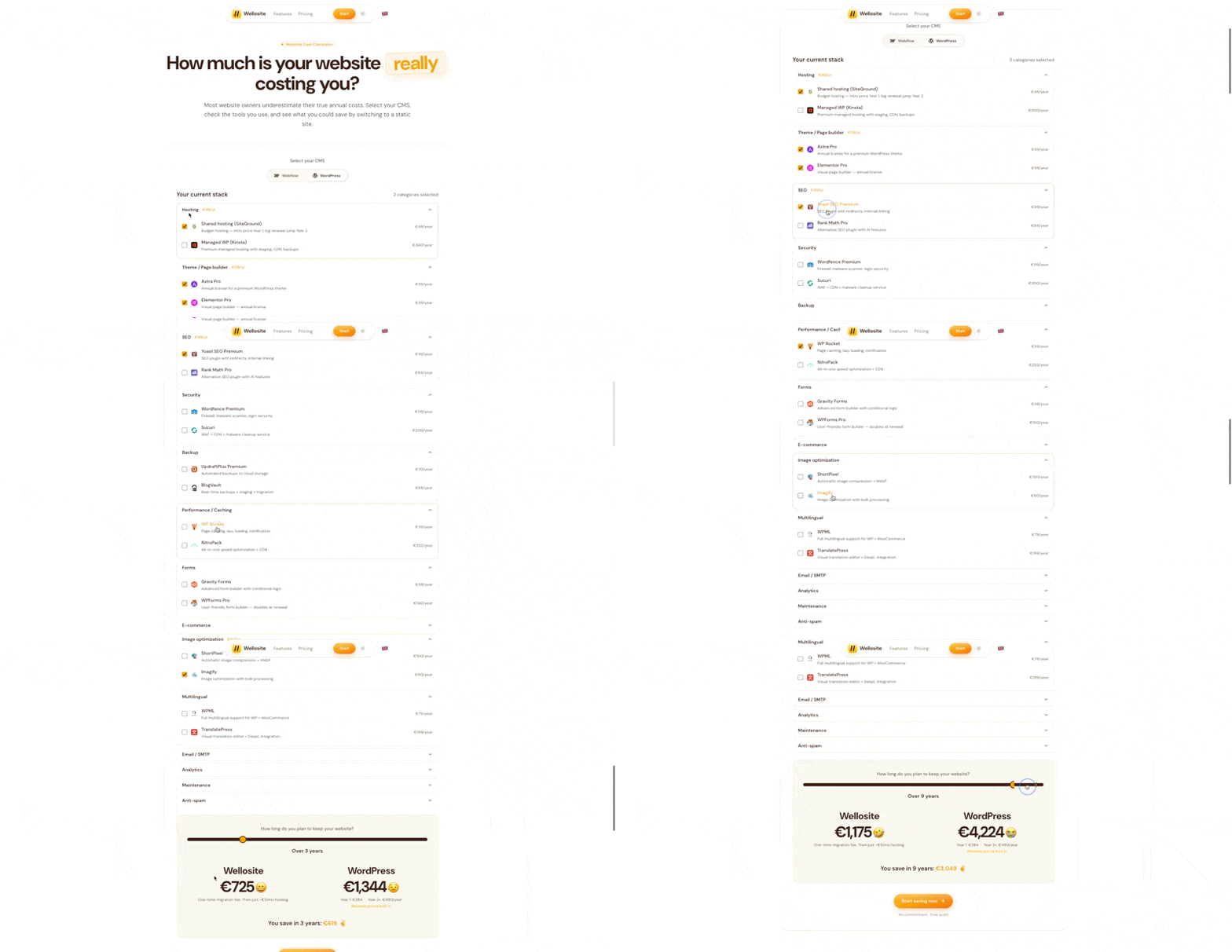
If you want the math for your own site, I built a calculator on Wellosite that compares the AI-native stack against your current Webflow or WordPress setup -> wellosite.ch/calculator.
The site becomes an asset the team can edit. Not a hostage to a CMS skill set. Not a hostage to whoever knows Webflow well enough to ship. The whole site lives in markdown, components, and a tight design system. Anyone who can describe what they want can change it.
Part 7: What this is NOT
A few honest caveats. This is not a magic bullet, and pretending otherwise wastes your time and mine.
- This is not “AI generated my whole site.” Judgment, design discipline, taste, brand strategy, all of it still on you. AI is the leverage. You’re still the operator.
- Not every Webflow site needs to leave Webflow tomorrow. If your team is happy, your editor friction is low, and the cost is fine, stay. The migration is worth it when the tax is real.
- The dev loop has its own learning curve. Knowing how to write a good prompt, structure a
CLAUDE.md, decompose a page into components, that’s a skill. It’s faster to learn than CMS mastery, but it’s not free. - Highly dynamic sites still need real architecture. E-commerce with thousands of SKUs, complex booking systems, real-time apps, AI-native is a great fit for marketing sites, brochure sites, blogs, comparison pages, landing pages. It’s not a magic bullet for SaaS dashboards or transactional commerce platforms.
If your site is mostly content, mostly marketing, mostly informational, mostly the kind of thing you’d build on WordPress or Webflow today, this approach is built for you.
Part 8: Why I’m betting Kai on this stack
We made a deliberate call early in the Kai build: hirekai.ai is itself an AI-native website. Not because it looks cool. Because the product itself is built around AI, and the marketing site should run on the same logic.
The compounding loop I described in Part 4, knowledge base + meeting transcripts + design system + Claude-generated pages, is exactly how Kai’s product evolves AND how the Kai marketing site evolves. Every customer call sharpens both the product and the messaging. The KB is the connective tissue.
And Kai is what closes the loop end-to-end:
- Kai records the meetings (internal and external).
- Kai produces the transcripts.
- Kai is in the inbox surfacing the patterns worth acting on.
- The KB stores the truth.
- Claude reads the KB and ships the page.
The whole stack composes. You don’t have to assemble it from five vendors. You build it once, and it gets stronger every week.
If that loop sounds useful for how you run your work, Kai is the assistant we’re building.
→ Join the waitlist at hirekai.ai/waitlist.
We’re early access. The first wave is going out soon.
Closing
This isn’t theory. Every site referenced here is live. Every number comes from a real migration. The Webflow invoice in Part 1 is our actual invoice.
The shift is straightforward to summarize:
- WordPress is a maintenance tax.
- Webflow is an editor tax and a cost tax.
- AI-native is neither.
If you’re running a marketing site, a brochure site, a blog, or a portfolio, and you’ve been feeling either of those taxes, the migration is worth a serious look.
If you want me to do this for your site, that’s exactly what Wellosite is for.
About
I run growth at Morgen. We’re building Kai, an AI executive assistant. Wellosite is the agency I started to migrate client sites the same way we built Kai’s site.
Follow the journey:
Thanks for reading
If this was useful, share it with someone who’s been quietly losing weekends to plugin updates or staring at a $220 Webflow invoice wondering if there’s another way.
Questions? Message me on LinkedIn. Happy to help.