
I wanted a free meeting transcriber that costs nothing. Here are the walls I hit building it.
The real build journey of a free, no-login meeting transcriber: every wall I hit, in order, from the plan I locked to the $75 hybrid I shipped, including the two I never got past.
Hey!
My name is Lambert, and I run growth at Kai. I’m not an engineer.
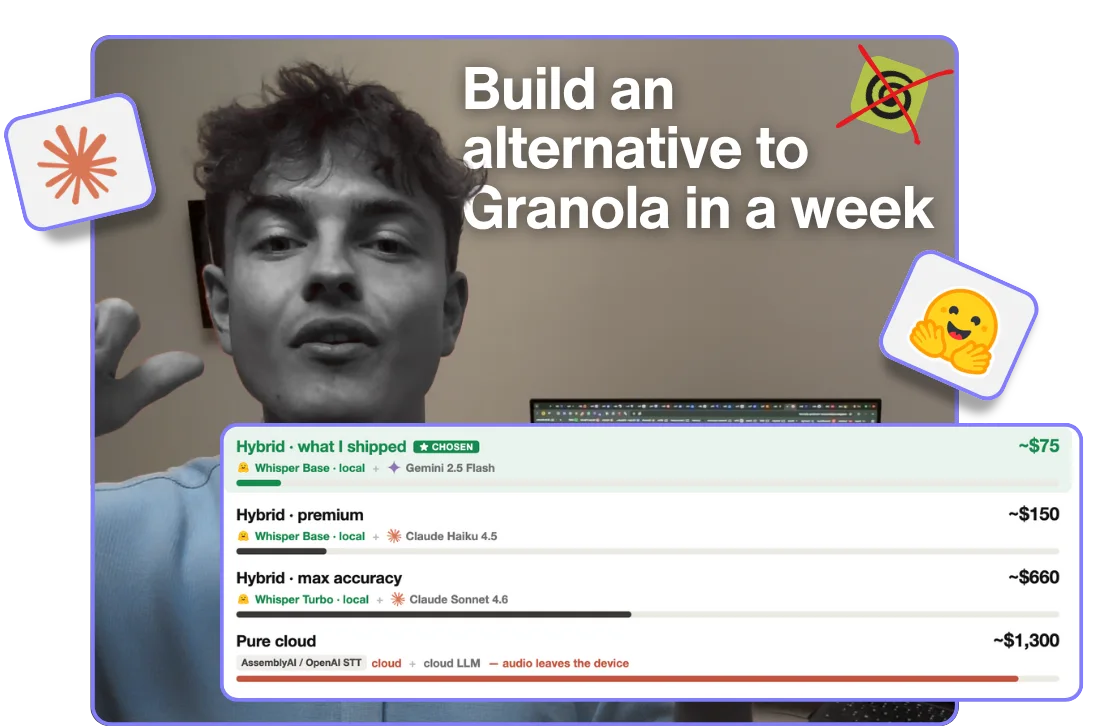
Here was the plan: a meeting transcriber that runs entirely in your browser. A Granola alternative. No login, no download, no signup. Fully local, so your audio never leaves your device, and it costs me basically nothing to run.
I got most of that. But not all of it. The “costs nothing” part broke first: built the obvious way, on a cloud speech-to-text API, this thing would have cost me about $1,365 a month. I shipped it for about $75. And it still doesn’t work on your phone.
This isn’t the tidy version. It’s the path I actually walked, wall by wall, in the order I hit them, including the two I never got past. If you’re about to build something like this, treat it as a map of the landmines. I built it in a week at our Zurich hackathon, and the code was the easy part.
Let’s walk it.
The plan I locked before I started (and why it was wrong)
A few days before the hackathon, I sat down with Jim, our growth lead, and we wrote the spec down live. It was clean. Whisper for the transcription, fully on-device. A local LLM (Llama 3.2 3B, in the browser) for the summary, so nothing ever leaves the machine. Cloud models explicitly out. A 30-minute demo, gated behind an email. Functional first, pretty later.
Two of those locks were dead within a week. Hold that plan in your head, because the rest of this is me tearing it apart.
Wall 1: the browser can’t hear the call
The very first thing that broke was the obvious thing. On a Mac, a web page can grab your microphone and the audio of a Chrome tab, but it cannot capture the audio coming out of a native app, the Zoom or Teams desktop client. Put your headphones on and the other side of the call disappears. This is an OS restriction, not a bug. There is no clever line of code that fixes it.
So I stopped treating it as broken. I leaned the whole product into it: this would be an honest, mic-first demo of what our app does, and I wrote the limit straight into the copy instead of hiding it. (It’s also why two things exist: this web tool, and a separate Chrome extension that can grab tab audio.) Naming the limit out loud is what turns “this is broken” into “this is fair.”
Wall 2: nobody downloads 80 MB from a stranger
To transcribe on-device I use Whisper, run in the browser through Hugging Face’s Transformers.js (the Xenova/whisper-base model). It’s about 80 MB on first load.
Jim said the quiet part out loud when he tested an early build: “if I go on a random web page and someone asks me to download something, I’m like, no, I don’t know who you are.” He’s right. My first version showed an honest “loading 80 MB…” bar, and an honest progress bar on an anonymous page is a conversion killer.
This is the first place the work stopped being “write code” and became “steer the model.” I went round after round with Claude until the download disappeared behind the Record button. Now you click record, a short screen shows for a beat while the model loads, and you’re recording in about a second. You load it once. Unless you wipe your data, you never wait again. The 80 MB is real. You just never feel it.
Wall 3: the free tool that wasn’t free (my local plan dies)
Remember the locked plan, the one where the summary runs locally too and the whole thing costs me nothing? It died here, days into the build.
Running the summary model on-device means shipping it to every user: Llama 3.2 3B is a 1.78 GB download. After Wall 2 had just taught me that 80 MB scares people off, 1.78 GB was a non-starter, and the local summary quality lagged what our app produces anyway. So I modeled every option with real numbers instead of going on vibes:
| Architecture | Transcription · Summary | $/session | $/month* | Audio on device |
|---|---|---|---|---|
| Pure local | Whisper Base (local) · Llama 3.2 3B (local) | ~$0 | ~$0** | Yes |
| Hybrid · cheapest | Whisper Base (local) · Gemini 2.5 Flash Lite | $0.003 | ~$45 | Yes |
| Hybrid · what I shipped | Whisper Base (local) · Gemini 2.5 Flash | $0.005 | ~$75 | Yes |
| Hybrid · premium | Whisper Base (local) · Claude Haiku 4.5 | $0.010 | ~$150 | Yes |
| Hybrid · max accuracy | Whisper Turbo (local) · Claude Sonnet 4.6 | $0.044 | ~$660 | Yes |
| Pure cloud · AssemblyAI | AssemblyAI · Claude Haiku 4.5 | $0.083 | ~$1,245 | No |
| Pure cloud · OpenAI STT | gpt-4o-mini-transcribe · Gemini 2.5 Flash Lite | $0.091 | ~$1,365 | No |
* Modeled on an illustrative 500 sessions/day, 30-minute average session, around 5-6k input and 1-1.5k output tokens per summary. Pricing as of June 2026. ** Local compute is free; pure local’s only real cost is shipping the 1.78 GB bundle (Whisper Base plus the Llama summary model), which is ~$0 on a free model CDN like Hugging Face. I skipped it for the download size, not the cost.
The expensive part is cloud transcription. The moment you send audio to a paid speech-to-text API you are well over a thousand a month. Run transcription on the device and that cost goes to zero. The privacy story and the cost story turned out to be the exact same decision: keep audio on the device, keep the bill sane.
So I gave up the “fully local” dream and shipped the hybrid: Whisper local for the transcription, Gemini 2.5 Flash for the summary, a cheap, fast cloud model that was more than good enough for meeting notes. Here’s the honest trade, stated plainly: your audio never leaves your device, but the transcript text makes one hop to Gemini for the summary. Pure local keeps even the text on-device; the table is why I didn’t take it. I didn’t get my free tool. I got a $75 one, because a smooth experience meant paying for that one hop.
Wall 4: an anonymous endpoint that costs money gets abused
The second that one cloud hop sat behind a public, no-login endpoint, a new wall showed up. An open endpoint that calls a paid model is something people will scrape and run up your bill with, and a teammate on the app flagged it before I did.
The fix is layered, and boring. The key and the prompt stay server-side, so the browser only ever sees the result, never the model or the credentials. The endpoint is scoped to one task, so it can’t be repurposed for anything else. And there are limits underneath: a spend cap and throttling so no single source can hammer it. I’m not publishing the exact thresholds, that’s the whole point of having them.
None of it shows up in the UI. Most of “shipping a free AI tool” is exactly this, the boring wall nobody writes about.
Wall 5: I built a paywall, then tore it out
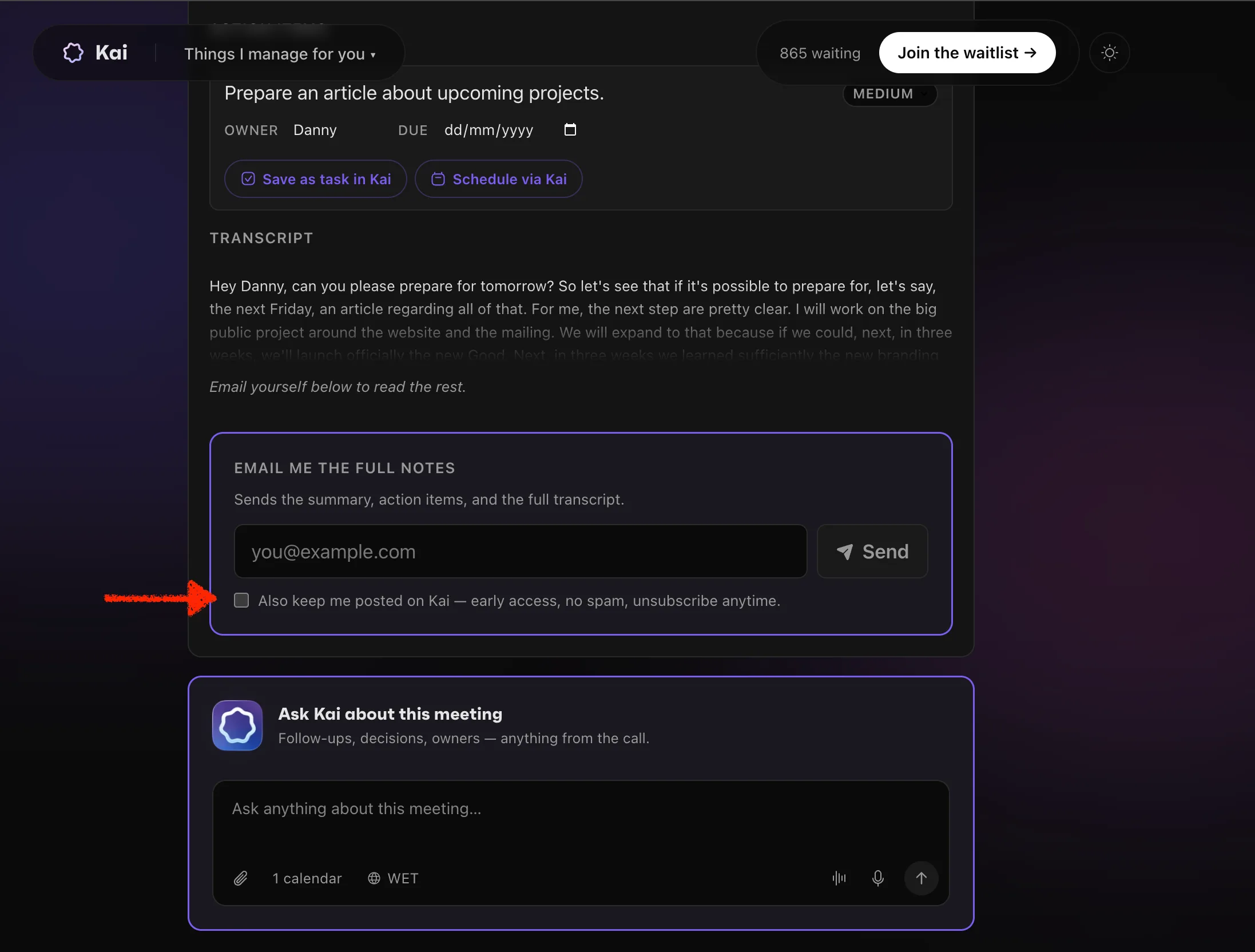
This one I want to be honest about, because the tidy version would hide it. On May 5 I literally shipped the classic growth move: a blurred transcript preview, a paywall-looking email card, the whole gate. You had to give something to see your notes.
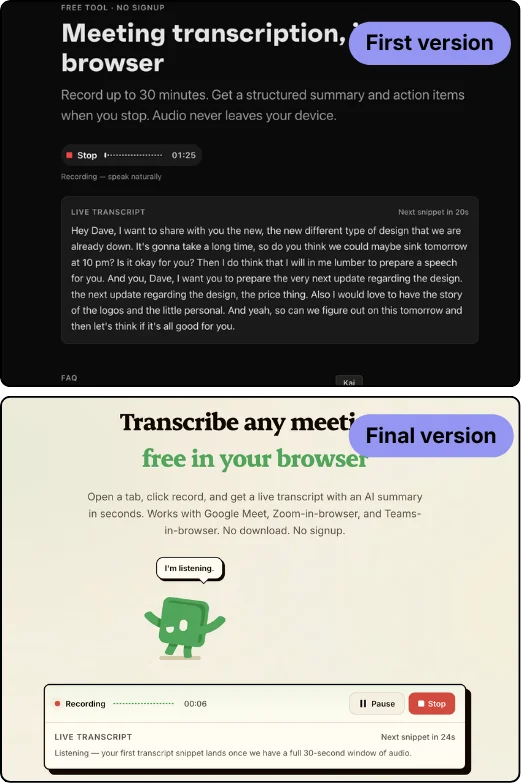
Three days later, in our debrief, David killed it in one line: “if this is a free tool, what’s their actual product?” The point landed. A gate makes a free tool feel like a worse version of something you can’t see. So I ripped it out. The tool became a full, free demo: use it whenever, email the notes to yourself or a colleague, we store nothing.
The value didn’t disappear, it moved to depth. Save every meeting, push action items into your calendar, chat with a past meeting, draft the follow-up. That’s what the app does, and it’s where a free transcript stops being enough. Honest sub-beat: most of those bridges are mocked in the free tool and redirect to signup, because the real backend wasn’t built yet. List everything you want, mock what you can’t build yet. It’s the same bet I made with my free SEO tools: give the value away, convert on depth, not on a gate.

Want to see it? Open a tab and talk for ten seconds: hirekai.ai/tools/meeting-transcription.
Wall 6: mobile, the one I lost
Not every wall has a door. The tool is built for SEO, and a page that breaks on mobile is a flag for Google, so I couldn’t just ignore it. I tried. I lost.
My first guess was WebGPU, but iOS Safari ships WebGPU now, so that wasn’t it. Then I built a lighter fallback model (Moonshine) specifically to make mobile work. It still crashed. Here’s my own device-test note, verbatim, because it’s the receipt:
First attempt: progress bar stuck at “Loading transcription model — 99%” for 3+ minutes, no error, no recovery. Second attempt, after a hard refresh: model loaded, recording started, mic picked up voice for ~4s, then Chrome iOS killed the tab with a memory error. Same crash on a real iPhone, not a corner case.
The real wall is memory. Loading the model and running inference blows past what iOS gives a single browser tab, and the tab gets killed, even with the lighter model. A full day with Claude, and I couldn’t get past it.
So I didn’t. I can’t fake physics. It’s best on desktop Chrome, mobile users go to the app, and I said exactly that in the copy. Two things saved me here: testing on a real device instead of the simulator (the only reason I even know), and knowing what not to ship, because claiming “works on mobile” when it crashes would have cost me far more than the honest limit did.
Wall 7: the trivial bug that wasn’t (refresh kills everything)
The last wall is the kind nobody calls a wall. It came from real feedback: you refresh the page and your whole transcript is gone. Pure friction, at the worst moment.
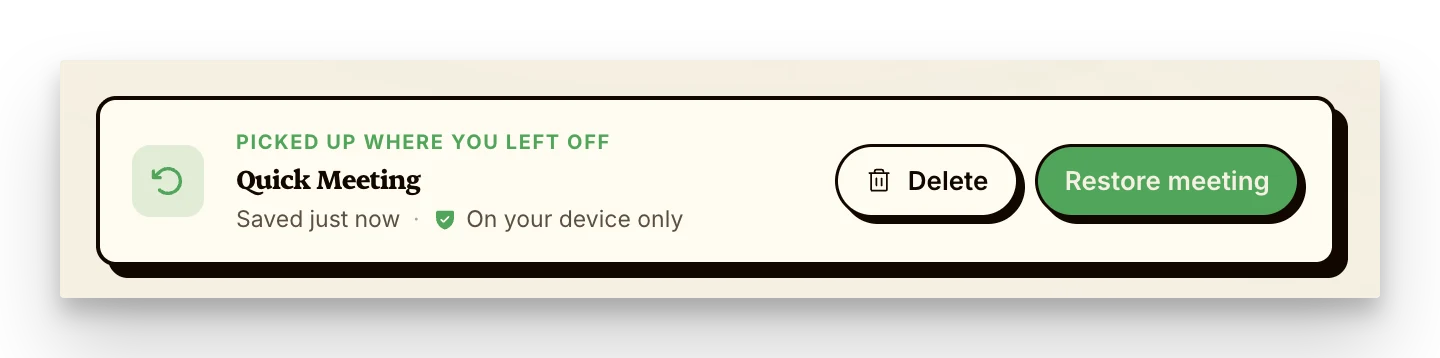
I needed persistence without a backend, no accounts, nothing stored on our servers. I looked at IndexedDB (overkill for a single transcript) and URL fragments (a privacy leak, your meeting in the address bar). I landed on localStorage: one transcript, explicit-delete only. “Stored on your device only” became the persistence and the privacy line.
That opened up the whole layer that isn’t really features: a loading animation while the summary writes so the wait feels alive, a “pick up where you left off” banner. None of it goes on a landing page. But it’s why people stay on the page, and for a growth person that matters twice, because time on page is a signal Google rewards and it tells anyone who lands there that the real product is built with care. Same instinct as my AI-native website playbook. This was the wall I underestimated most, the one that looked like nothing.
What actually ate the week
The MVP was the cheap part. I shipped this in a week without being an engineer, and the building itself was rarely the bottleneck.
What ate the week was the two things you can’t hand to the model: steering it when it goes sideways (the mobile day, the invisible-download grind), and the taste to know which UX details actually matter. It was the biggest Claude Code learning curve I’ve had since I started using LLMs, and almost none of it was about writing code. A few years ago the craft was building the MVP. Now the MVP is nearly free, and the craft has moved: to directing the AI, and to owning the experience around it.
I started wanting a free, fully-local tool. I shipped a $75 hybrid that loses on mobile. Every wall between those two is the actual map. Six of them I got around by changing the product. One I’m still behind.
Try it / About Kai
You can try the tool here. Open a tab, hit record, talk for ten seconds. Best on desktop Chrome.
Kai is an AI assistant that does things for people, built by the team behind Morgen. Free tools like this one are one piece of how we think about growth. The companion Chrome extension, which captures full tab audio (the thing the browser couldn’t, back in Wall 1), is a separate project.
Follow the journey:
This isn’t theory. It’s a documented week of building a real tool, including the parts that broke. If it was useful, share it with someone about to build their first AI tool, or message me on LinkedIn.